
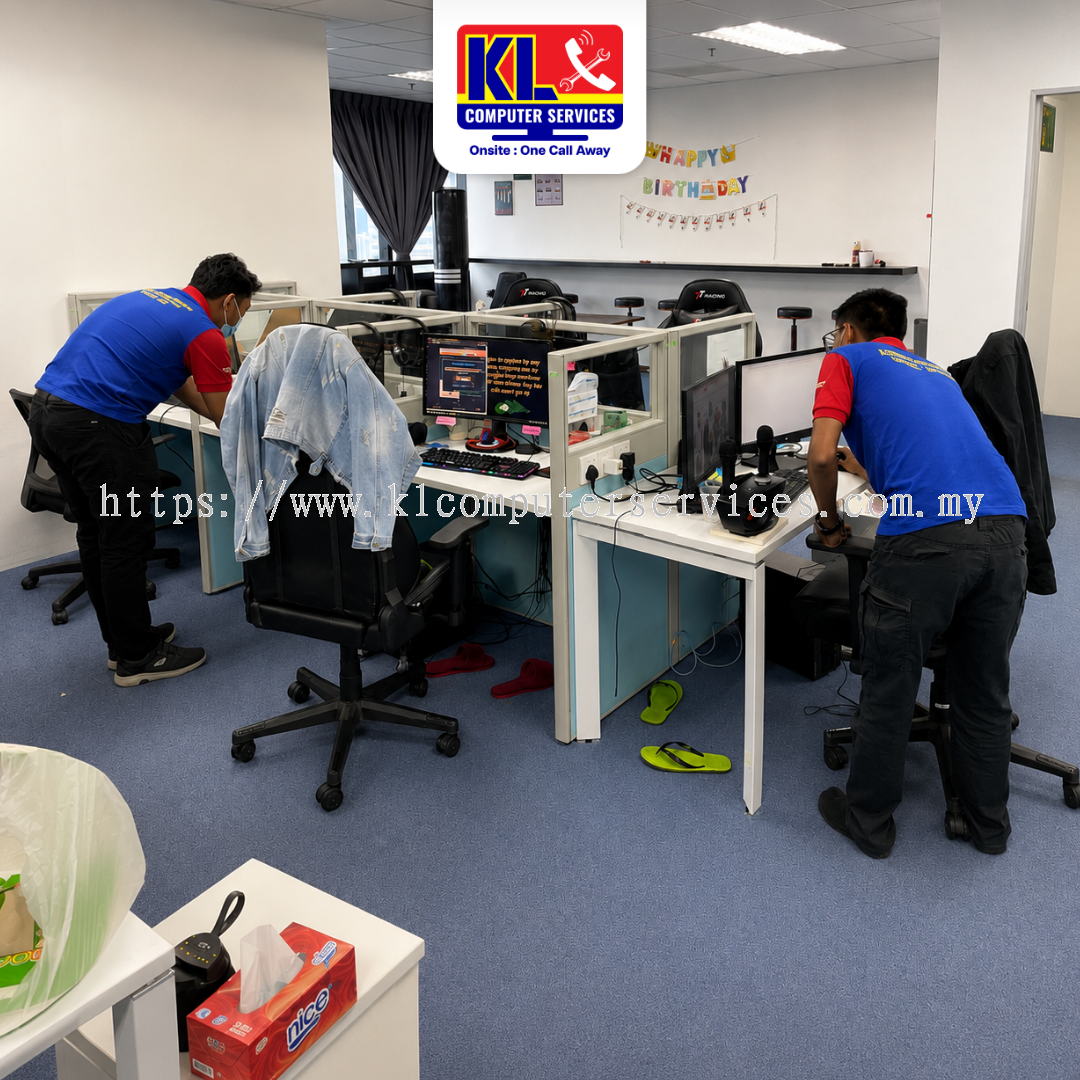
Computer running slower every week, fan getting louder, and a Windows update notification you've been ignoring? In most cases, sending it out for repair isn't necessary. KL Computer Services (KLCS) provides professional on-site hardware, software, and Windows update checks, part of our wider on-site IT support services, across four branches in Kuala Lumpur, including a Setapak branch serving Gombak residents directly, every single week.
We check hardware and software condition fully and install any pending Windows updates, all done at your location, so nothing needs to be unplugged or sent anywhere. WhatsApp or drop by any of our branches in Setapak, Jalan Klang Lama, Cheras Pandan Jaya, or Ampang Pandan Indah for a quick assessment. Customers from Gombak are just a short drive from our Setapak branch.
Our onsite check covers all the common signs of a computer overdue for attention, across our walk-in customers in Danau Kota, Kuchai Lama, Pandan Jaya, Pandan Indah, and Gombak. Whether you're calling from a home office in Gombak or a business in central Kuala Lumpur, if your computer shows any of the following, it can usually be sorted in a single visit through our onsite computer service.
Most people assume a restart resets everything back to normal, but in reality, a restart only clears temporary memory. It says nothing about hardware wear, software clutter, or how far behind a system has fallen on updates. Slow performance despite regular restarts almost always comes down to a single identifiable cause — a struggling storage drive, background processes piling up, an ageing fan no longer cooling properly, or months of unpatched Windows updates.
Customers around Setapak, Gombak, Kuchai Lama, Cheras, and Ampang who get their computer checked promptly get a fast, reliable answer instead of guesswork. Hardware, software, and update status are all tested individually so nothing gets replaced unnecessarily. Getting it checked early prevents recurring slowdowns and saves you from a bigger repair down the line. Read more about who we are on our about us page, or see our guide on office IT setup for SMEs in Malaysia if your slow computer is paired with a wider IT setup review.
How you handle a slow or outdated computer right after noticing it can prevent bigger disruptions down the line. Avoid these common mistakes.
Not sure if your computer needs a quick check-up or a wider IT review? Check our FAQ page, or contact us directly and our technicians will guide you.
Whether you're dropping by from Taman Melati, OUG, Pandan Perdana, or Taman Nirwana, our technicians will walk you through the check clearly. If you cannot visit us in person, we also offer a door-to-door IT service covering KL and Selangor.
Most single-computer checks are completed within the same visit. Additional work such as part replacement or a deeper software issue may need a short follow-up.
| Service Type | Est. Turnaround |
|---|---|
| Hardware Condition Check | Same visit |
| Software Condition Check | Same visit |
| Windows Update & Security Patch Installation | Same visit |
| Component Replacement (if needed) | 1 – 2 working days |
| Deeper Software Troubleshooting | 1 – 2 working days |
WhatsApp us a description of the issue for a clearer idea of timing before we visit.
Our onsite check covers home and office computers of all kinds. Customers from Wangsa Maju, Taman Desa, Taman Shamelin, and Taman Maluri trust us with their computers every day.
KL Computer Services operates four service centres across Kuala Lumpur, with our Setapak branch serving customers from Gombak. Find the nearest branch below — each location also covers the surrounding areas listed next to it:
| Branch | Address | Phone / WhatsApp | Operating Hours | Also Serving |
|---|---|---|---|---|
| Setapak (Taman Danau Kota) |
First Floor, 36-1, Jalan 2/23a, Taman Danau Kota, 53300 KL | 017-550 1914 | Mon–Fri: 9am–8pm Sat–Sun: 9am–7pm |
Keramat, Wangsa Maju, Sentul, Taman Melati, Setiawangsa, Genting Klang, Gombak |
| Jalan Klang Lama (Kuchai Lama) |
First Floor, 2-1 Jalan Indrahana 1, Off Jalan Kuchai Lama, 58200 KL | 018-944 1914 | Mon–Fri: 9am–8pm Sat–Sun: 10am–7pm |
OUG, Taman Desa, Sri Petaling, Bukit Jalil, Old Klang Road, Bandar Tasik Selatan |
| Cheras (Pandan Jaya) |
First Floor, 34-1A, Jalan Pandan 2/1, Pandan Jaya, 55100 KL | 018-245 1914 | Mon–Fri: 9am–7pm Sat: 10am–7pm Sun: Closed |
Taman Shamelin, Maluri, Taman Connaught, Pandan Perdana, Cheras Baru |
| Ampang (Pandan Indah) |
First Floor, 13M Jalan Pandan Indah 4/2, Ampang, 55100 KL | 018-405 1914 | Mon–Fri: 9am–8pm Sat–Sun: 10am–7pm |
Taman Maluri, Taman Nirwana, Pandan Mewah, Taman Dagang, Ampang Jaya, Bukit Antarabangsa |
Search “KL Computer” on Waze or Google Maps to navigate directly to us, or see our full service location coverage map. We also handle a wide range of other services — including network & WiFi setup and general computer repair and maintenance.
While you're here, our KL branches also handle:
Not sure what to look for when picking an IT support provider? Our guide on IT support in KL — what to look for breaks down what actually matters. Managing networks or computers for your company on a recurring basis? Visit klcomputer.my, our dedicated site for outsourced IT support and corporate maintenance across the Klang Valley.
 Malaysia
